


More information about our training sessions


Salon & Barbers
street, city, postcode
+phone

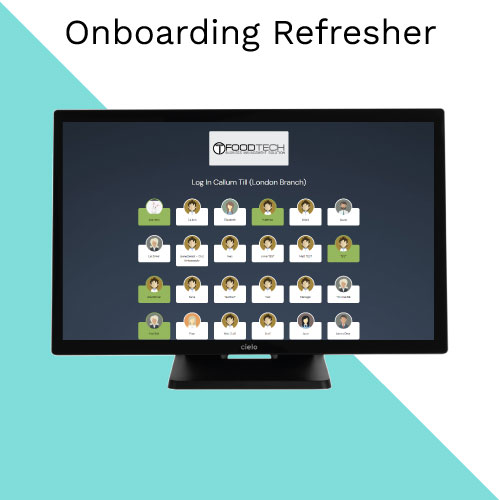
Rerun of your initial training session
• Pin Login Page
• Overview of sales
• Opening of sales via, Click & Collect / delivery / Caller ID, Table booking
• Online orders
• Refunds
• End of day
• Clock in / out
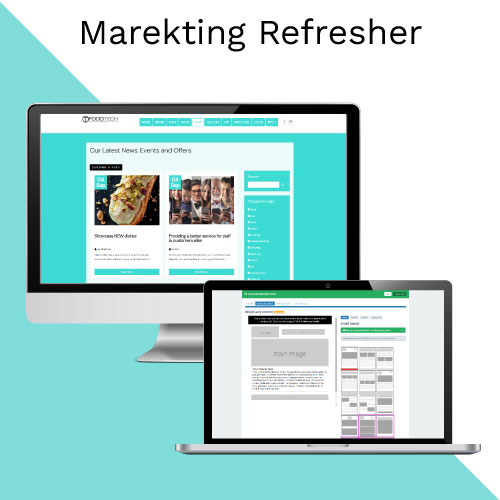
An Overview of the marketing elements within Till Tech
• App Notifications
• Blogs
• Create and Send Email
• Online Ordering Settings
• Promotions
• Editing Email Templates
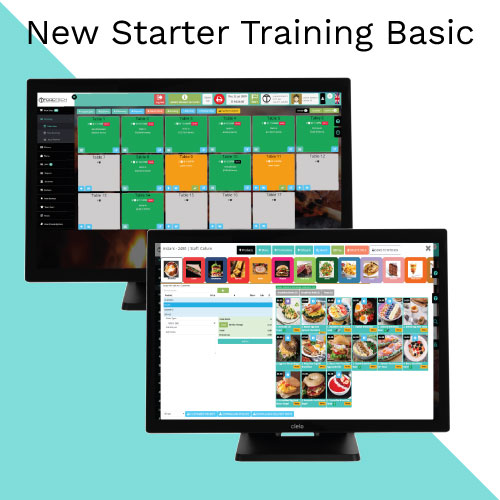
1 Hour Training Session For a New Staff Member
Full Training on how to use:
• EPOS
• Online Ordering
• Table Management
• Bookings
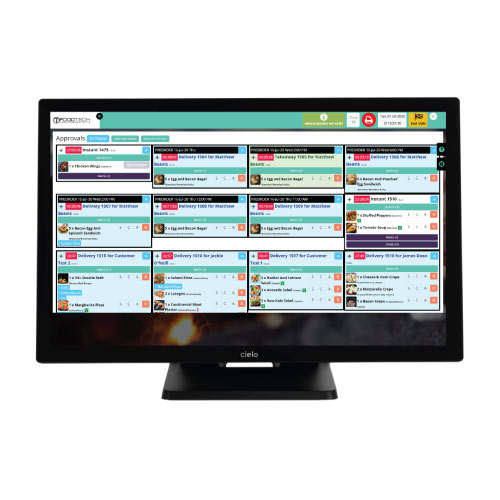
• Kitchen Screens
• Driver Management
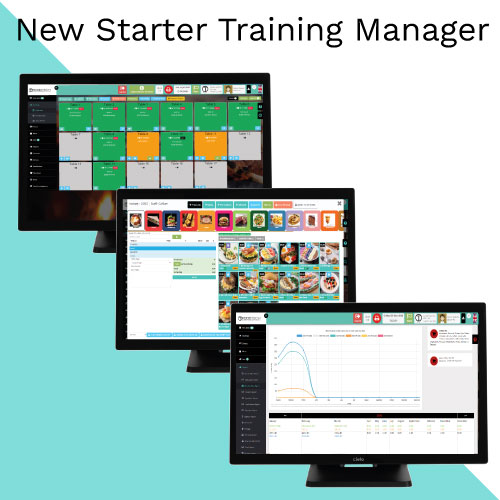
2 Hour Training Session For a New Manager:
Everything from New Starter Training Plus
• Refunds
• Discounts
• End Of Day
• Reporting
• Stock Control
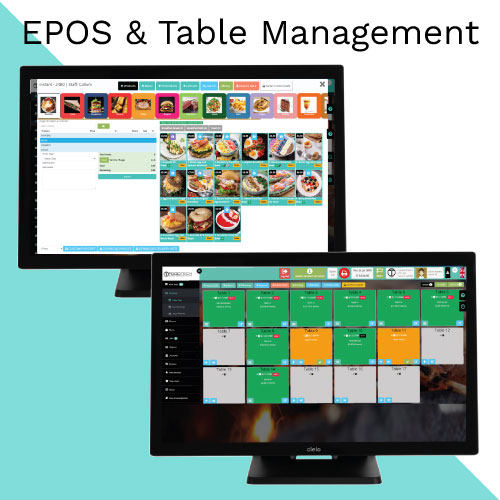
How to use, manage, update and configure your EPOS
• Adding products (Basic) (ID 171)
• Adding Product Options (ID 31, 142)
• Sale4, Types and opening a sale (ID 34, 37, 40, 75, 76, 79, 11)
• Table Management (ID 26, 57, 131, 170, 181, 219, 209)
• Courses (ID 86, 87, 195)
• Table Ready (ID 88)
• Merging Tables (ID 53)
• EPOS Overview
• Sales List
• Gift Vouchers / Deposits (ID 177)
• Caller ID (ID 115)
• End Of Day
• Registers Reports (ID 151)
• Quick Access Buttons (ID 139, 140, 141)
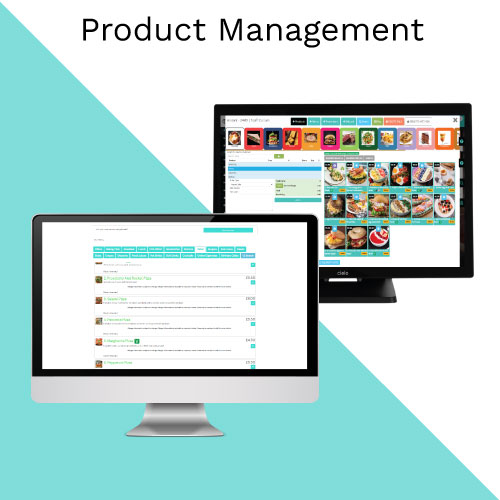
Learn how to create and manage products
• Adding Categories and Subcategories (ID 41, 116)
• Adding products (ID 32, 86, 171,)
• Product Options (ID 31, 142)
• Location Prices
• Product Level Stock Control (ID 138, 140, 145, 145, 147, 148)
• Promotions (ID 173, 217)
• Allergens (ID 52)
• Display Types
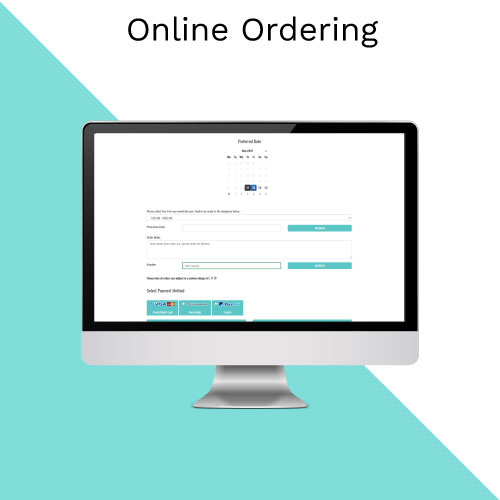
Learn how to setup, configure and manage your online ordering
• Enabling Online Ordering (ID 67)
• Online Ordering Settings Page walkthrough (ID 68, 73, 74, 106, 113)
• Adding Categories and Products (ID 41, 171)
• Set Display Types
• Prices (Dine in and Takeaway)
• Setting Delivery Radius Area’s and charges (ID 45, 139, 226)
• Setting up Automatic online offers (ID 125)
• Pre-Ordering (ID 95, 157)
• Promotions (ID 173)
• Editing Email Templates (ID 184)
• Basic Product Level Stock Control
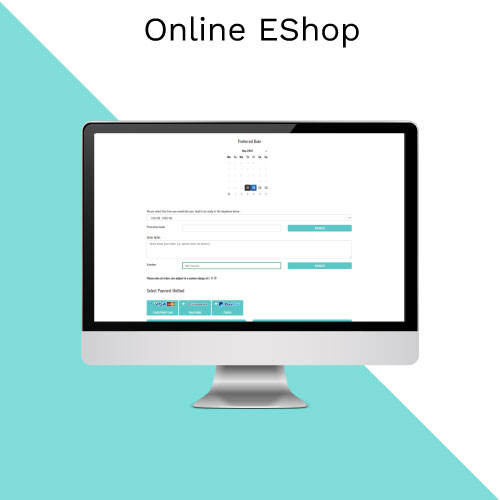
How To enable, configure and start trading with your ecom shop
• Enabling Eshop Ordering (ID 67)
• Eshop Ordering Settings Page walkthrough (ID 68, 73, 74, 106, 113)
• Adding Categories and Products (ID 41, 171)
• Set Display Types
• Prices
• Setting Delivery Radius Area’s and charges (ID 45, 139, 226)
• Setting up Automatic online offers (ID 125)
• Pre-Ordering (ID 95, 157)
• Promotions (ID 173)
• Editing Email Templates (ID 184)
• Basic Product Level Stock Control
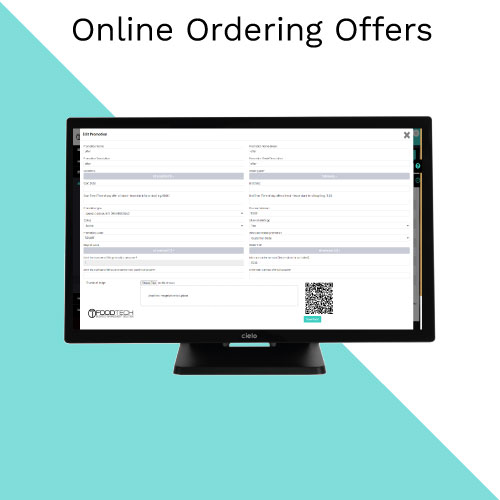
A quick course to show you the promotions you can set up for online orders
• Types and Setup of Promotions (ID 173)
• Online Ordering Setting Promotions (ID 68, 73, 74, 106, 113)
• Loyalty Points (ID 56)
• Send App Notifications
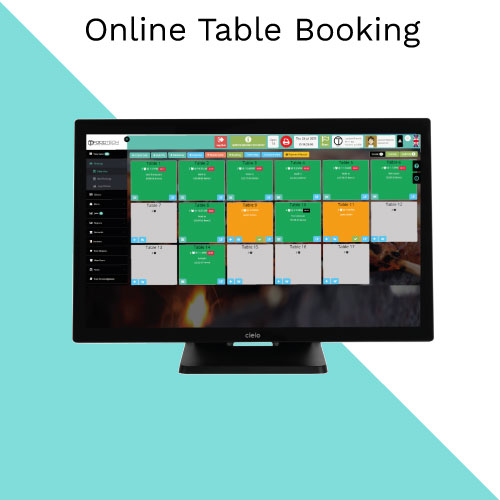
Setup Online Booking, Floor Plans, Manage Bookings and Deposits
• How to Enable Online Booking (ID 70)
• Create and Edit Floor Plan (ID 80)
• Set Individual Table Booking Rules (ID 210)
• Linked Tables (ID 53)
• Bookable / Staff Only / Not Bookable
• Online Booking Settings (ID 201, 203, 204, 206, 207, 210, 211, 212)
• Blocking Out Tables
• Manual/Staff Table Booking (ID 37)
• Online Table Booking (ID 80, 219)
• Timeslots (ID 199, 201, 202, 208) • Deposits (ID 221)
• Reminders and Notifications (ID 39, 205, 207, 214, 213)
• Editing Email Templates (ID 184)
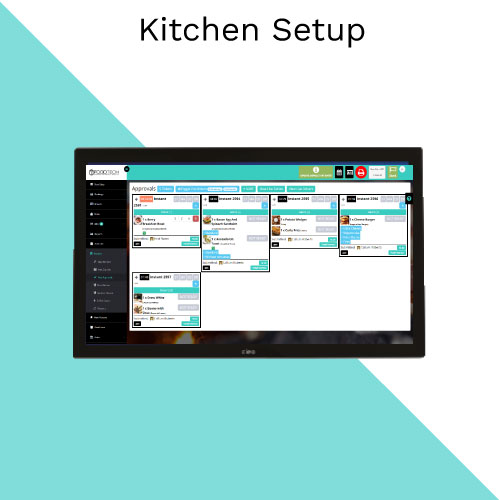
Learn how to setup, configure and manage your state of the art Kitchen Screens
• Kitchen Settings (ID 167, 225, 224, 223)
• Setting Up KDS (ID 50, 54, 73)
• Setting up Courses (ID 86, 87)
• Assigning products to kitchen / printer (ID 81, 82, 93)
• Starting and Completing Products (ID 88)
• Approval Screen (ID 216)
• Kitchen Screen Settings Page (ID 192, 225, 224, 223,)
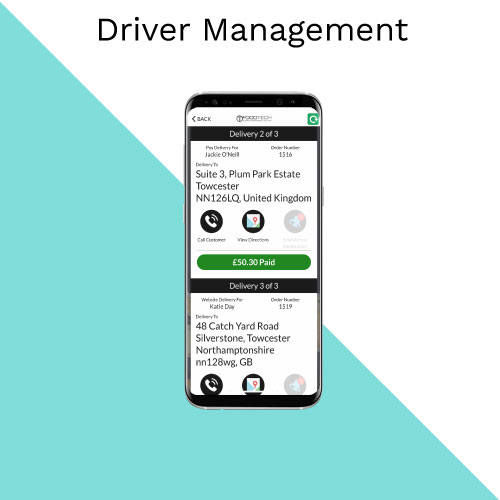
• Enabling Driver Management (ID 120)
• Creating and Assigning Drivers (ID 120)
• Assigning Order to Drivers (ID 120, 144)
• Driver Process (ID 120)
• Driver Reports (ID 120)
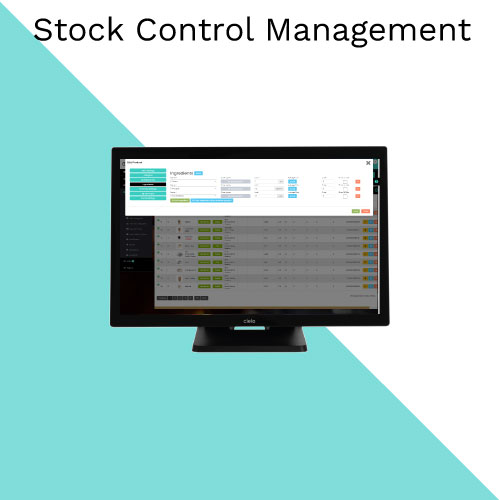
• Adding ingredients (ID 146, 147)
• Assigning Ingredients (ID 146, 147)
• Warehouse Setup how it works overview
• Add Suppliers (ID 145)
• Add Manufacturers
• Add Wholesale Items (ID 147)
• Create Purchase Order (ID 148)
• Receiving Stock (ID 148)
• Stock Management Reports (ID 138, 150, 172)
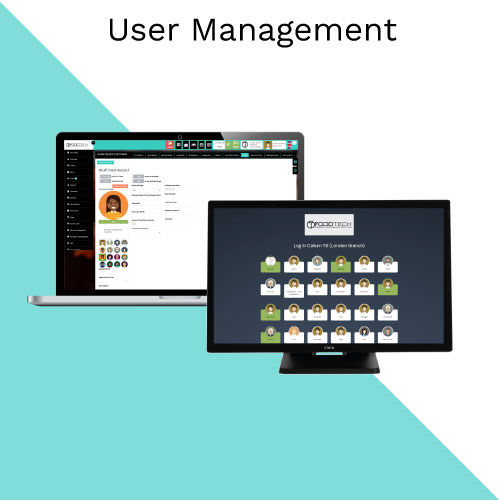
• Add New User (ID 36, 61)
• Set and Reset Password (ID 36, 58)
• Set Pin Number (ID 36, 71)
• Set Working Hours
• Set Rate of pay (ID 133)
• Holiday and Absence Management
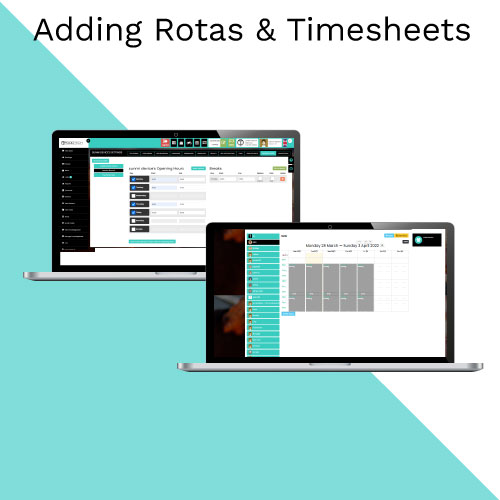
• Add in User (ID 36, 61,)
• Set Core Working Hours
• Clock in and Out + Reports (ID 193, 137)
• Set Location Hours
• Create and Approve Rota (ID 46)
• Copy Rota’s (ID 46)
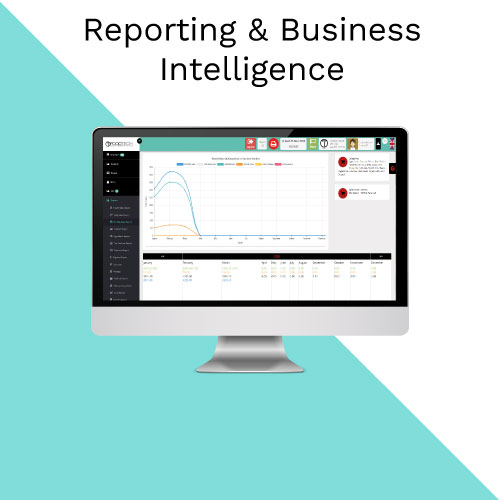
A general run through of the reports advising how to use the data to gain insights and how to export information as an Excel/ PDF
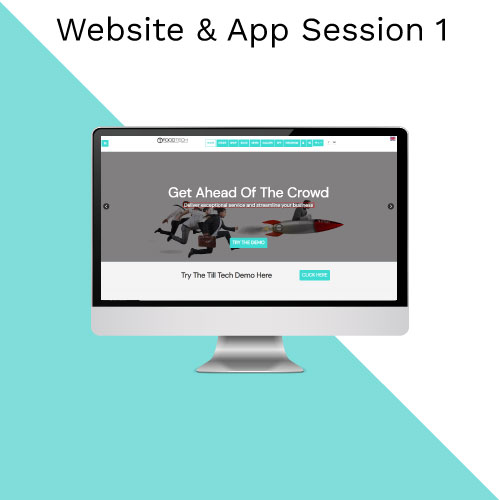
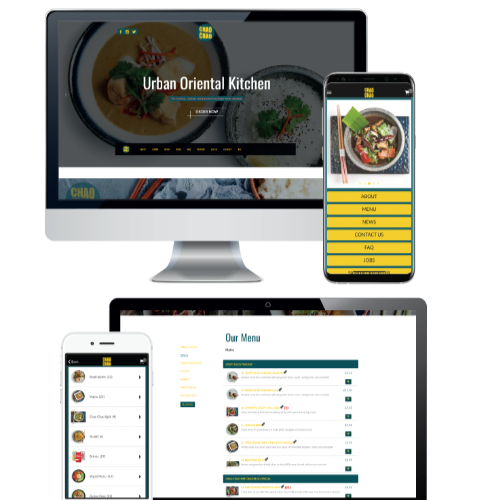
This session will show you easy it is to use the Till Tech website editor and it's basic functions
• Editing Text Website (ID 64)
• Editing Text App
• Adding / Replacing Images (ID 153,)
• Adding Gallery Images (ID 100)
• Adding Blogs (ID 78, 178, 179)
• Adding Testimonials (ID 98)
•Add FAQ’s (ID 30,)
• Add Jobs (ID 63,)
• Adding Social Media Icons and Links
• Change Opening Hours
• Enabling Additional Pages - Xmas / Covid / Collaborations
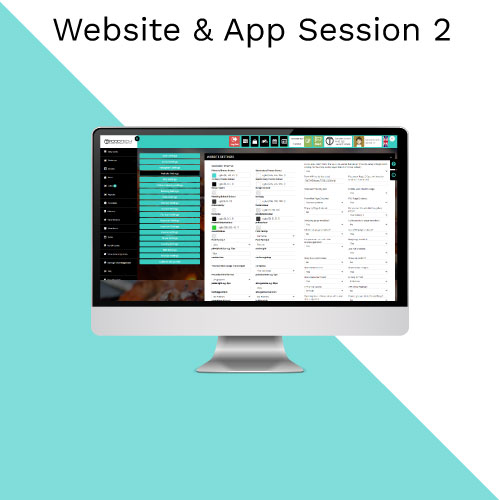
How to use some of the more advanced settings of the website editor
• Changing website Colours (ID 227,)
• Inputting inline CSS & HTML
• Adding Custom Buttons (ID 99)
• Changing Logos
• Website Settings Page Walkthrough

A Full Walkthrough on the Collectifi Platform
• Login Pages
• Create and Send Email
• Email Errors
• Best Practices
• Adding Users
• Importing Emails
• Wi-Fi Settings, Reports
This training session will show you how to create and send emails in Collectifi
• Create and Send Email
• Email Errors
• Best Practices
• Importing Emails Addresses
• Email Analytics
Rerun of your initial training session
• Pin Login Page
• Overview of sales
• Opening of sales via, Click & Collect / delivery / Caller ID, Table booking
• Online orders
• Refunds
• End of day
• Clock in / out
An Overview of the marketing elements within Till Tech
• App Notifications
• Blogs
• Create and Send Email
• Online Ordering Settings
• Promotions
• Editing Email Templates
1 Hour Training Session For a New Staff Member
Full Training on how to use:
• EPOS
• Online Ordering
• Table Management
• Bookings
• Kitchen Screens
• Driver Management
2 Hour Training Session For a New Manager:
Everything from New Starter Training Plus
• Refunds
• Discounts
• End Of Day
• Reporting
• Stock Control
How to use, manage, update and configure your EPOS
• Adding products (Basic) (ID 171)
• Adding Product Options (ID 31, 142)
• Sale4, Types and opening a sale (ID 34, 37, 40, 75, 76, 79, 11)
• Table Management (ID 26, 57, 131, 170, 181, 219, 209)
• Courses (ID 86, 87, 195)
• Table Ready (ID 88)
• Merging Tables (ID 53)
• EPOS Overview
• Sales List
• Gift Vouchers / Deposits (ID 177)
• Caller ID (ID 115)
• End Of Day
• Registers Reports (ID 151)
• Quick Access Buttons (ID 139, 140, 141)
Learn how to create and manage products
• Adding Categories and Subcategories (ID 41, 116)
• Adding products (ID 32, 86, 171,)
• Product Options (ID 31, 142)
• Location Prices
• Product Level Stock Control (ID 138, 140, 145, 145, 147, 148)
• Promotions (ID 173, 217)
• Allergens (ID 52)
• Display Types
Learn how to setup, configure and manage your online ordering
• Enabling Online Ordering (ID 67)
• Online Ordering Settings Page walkthrough (ID 68, 73, 74, 106, 113)
• Adding Categories and Products (ID 41, 171)
• Set Display Types
• Prices (Dine in and Takeaway)
• Setting Delivery Radius Area’s and charges (ID 45, 139, 226)
• Setting up Automatic online offers (ID 125)
• Pre-Ordering (ID 95, 157)
• Promotions (ID 173)
• Editing Email Templates (ID 184)
• Basic Product Level Stock Control
How To enable, configure and start trading with your ecom shop
• Enabling Eshop Ordering (ID 67)
• Eshop Ordering Settings Page walkthrough (ID 68, 73, 74, 106, 113)
• Adding Categories and Products (ID 41, 171)
• Set Display Types
• Prices
• Setting Delivery Radius Area’s and charges (ID 45, 139, 226)
• Setting up Automatic online offers (ID 125)
• Pre-Ordering (ID 95, 157)
• Promotions (ID 173)
• Editing Email Templates (ID 184)
• Basic Product Level Stock Control
A quick course to show you the promotions you can set up for online orders
• Types and Setup of Promotions (ID 173)
• Online Ordering Setting Promotions (ID 68, 73, 74, 106, 113)
• Loyalty Points (ID 56)
• Send App Notifications
Setup Online Booking, Floor Plans, Manage Bookings and Deposits
• How to Enable Online Booking (ID 70)
• Create and Edit Floor Plan (ID 80)
• Set Individual Table Booking Rules (ID 210)
• Linked Tables (ID 53)
• Bookable / Staff Only / Not Bookable
• Online Booking Settings (ID 201, 203, 204, 206, 207, 210, 211, 212)
• Blocking Out Tables
• Manual/Staff Table Booking (ID 37)
• Online Table Booking (ID 80, 219)
• Timeslots (ID 199, 201, 202, 208) • Deposits (ID 221)
• Reminders and Notifications (ID 39, 205, 207, 214, 213)
• Editing Email Templates (ID 184)
Learn how to setup, configure and manage your state of the art Kitchen Screens
• Kitchen Settings (ID 167, 225, 224, 223)
• Setting Up KDS (ID 50, 54, 73)
• Setting up Courses (ID 86, 87)
• Assigning products to kitchen / printer (ID 81, 82, 93)
• Starting and Completing Products (ID 88)
• Approval Screen (ID 216)
• Kitchen Screen Settings Page (ID 192, 225, 224, 223,)
• Enabling Driver Management (ID 120)
• Creating and Assigning Drivers (ID 120)
• Assigning Order to Drivers (ID 120, 144)
• Driver Process (ID 120)
• Driver Reports (ID 120)
• Adding ingredients (ID 146, 147)
• Assigning Ingredients (ID 146, 147)
• Warehouse Setup how it works overview
• Add Suppliers (ID 145)
• Add Manufacturers
• Add Wholesale Items (ID 147)
• Create Purchase Order (ID 148)
• Receiving Stock (ID 148)
• Stock Management Reports (ID 138, 150, 172)
• Add New User (ID 36, 61)
• Set and Reset Password (ID 36, 58)
• Set Pin Number (ID 36, 71)
• Set Working Hours
• Set Rate of pay (ID 133)
• Holiday and Absence Management
• Add in User (ID 36, 61,)
• Set Core Working Hours
• Clock in and Out + Reports (ID 193, 137)
• Set Location Hours
• Create and Approve Rota (ID 46)
• Copy Rota’s (ID 46)
A general run through of the reports advising how to use the data to gain insights and how to export information as an Excel/ PDF
This session will show you easy it is to use the Till Tech website editor and it's basic functions
• Editing Text Website (ID 64)
• Editing Text App
• Adding / Replacing Images (ID 153,)
• Adding Gallery Images (ID 100)
• Adding Blogs (ID 78, 178, 179)
• Adding Testimonials (ID 98)
•Add FAQ’s (ID 30,)
• Add Jobs (ID 63,)
• Adding Social Media Icons and Links
• Change Opening Hours
• Enabling Additional Pages - Xmas / Covid / Collaborations
How to use some of the more advanced settings of the website editor
• Changing website Colours (ID 227,)
• Inputting inline CSS & HTML
• Adding Custom Buttons (ID 99)
• Changing Logos
• Website Settings Page Walkthrough
A Full Walkthrough on the Collectifi Platform
• Login Pages
• Create and Send Email
• Email Errors
• Best Practices
• Adding Users
• Importing Emails
• Wi-Fi Settings, Reports
This training session will show you how to create and send emails in Collectifi
• Create and Send Email
• Email Errors
• Best Practices
• Importing Emails Addresses
• Email Analytics
Rerun of your initial training session
• Pin Login Page
• Overview of sales
• Opening of sales via, Click & Collect / delivery / Caller ID, Table booking
• Online orders
• Refunds
• End of day
• Clock in / out
An Overview of the marketing elements within Till Tech
• App Notifications
• Blogs
• Create and Send Email
• Online Ordering Settings
• Promotions
• Editing Email Templates
1 Hour Training Session For a New Staff Member
Full Training on how to use:
• EPOS
• Online Ordering
• Table Management
• Bookings
• Kitchen Screens
• Driver Management
2 Hour Training Session For a New Manager:
Everything from New Starter Training Plus
• Refunds
• Discounts
• End Of Day
• Reporting
• Stock Control
How to use, manage, update and configure your EPOS
• Adding products (Basic) (ID 171)
• Adding Product Options (ID 31, 142)
• Sale4, Types and opening a sale (ID 34, 37, 40, 75, 76, 79, 11)
• Table Management (ID 26, 57, 131, 170, 181, 219, 209)
• Courses (ID 86, 87, 195)
• Table Ready (ID 88)
• Merging Tables (ID 53)
• EPOS Overview
• Sales List
• Gift Vouchers / Deposits (ID 177)
• Caller ID (ID 115)
• End Of Day
• Registers Reports (ID 151)
• Quick Access Buttons (ID 139, 140, 141)
Learn how to create and manage products
• Adding Categories and Subcategories (ID 41, 116)
• Adding products (ID 32, 86, 171,)
• Product Options (ID 31, 142)
• Location Prices
• Product Level Stock Control (ID 138, 140, 145, 145, 147, 148)
• Promotions (ID 173, 217)
• Allergens (ID 52)
• Display Types
Learn how to setup, configure and manage your online ordering
• Enabling Online Ordering (ID 67)
• Online Ordering Settings Page walkthrough (ID 68, 73, 74, 106, 113)
• Adding Categories and Products (ID 41, 171)
• Set Display Types
• Prices (Dine in and Takeaway)
• Setting Delivery Radius Area’s and charges (ID 45, 139, 226)
• Setting up Automatic online offers (ID 125)
• Pre-Ordering (ID 95, 157)
• Promotions (ID 173)
• Editing Email Templates (ID 184)
• Basic Product Level Stock Control
How To enable, configure and start trading with your ecom shop
• Enabling Eshop Ordering (ID 67)
• Eshop Ordering Settings Page walkthrough (ID 68, 73, 74, 106, 113)
• Adding Categories and Products (ID 41, 171)
• Set Display Types
• Prices
• Setting Delivery Radius Area’s and charges (ID 45, 139, 226)
• Setting up Automatic online offers (ID 125)
• Pre-Ordering (ID 95, 157)
• Promotions (ID 173)
• Editing Email Templates (ID 184)
• Basic Product Level Stock Control
A quick course to show you the promotions you can set up for online orders
• Types and Setup of Promotions (ID 173)
• Online Ordering Setting Promotions (ID 68, 73, 74, 106, 113)
• Loyalty Points (ID 56)
• Send App Notifications
Setup Online Booking, Floor Plans, Manage Bookings and Deposits
• How to Enable Online Booking (ID 70)
• Create and Edit Floor Plan (ID 80)
• Set Individual Table Booking Rules (ID 210)
• Linked Tables (ID 53)
• Bookable / Staff Only / Not Bookable
• Online Booking Settings (ID 201, 203, 204, 206, 207, 210, 211, 212)
• Blocking Out Tables
• Manual/Staff Table Booking (ID 37)
• Online Table Booking (ID 80, 219)
• Timeslots (ID 199, 201, 202, 208) • Deposits (ID 221)
• Reminders and Notifications (ID 39, 205, 207, 214, 213)
• Editing Email Templates (ID 184)
Learn how to setup, configure and manage your state of the art Kitchen Screens
• Kitchen Settings (ID 167, 225, 224, 223)
• Setting Up KDS (ID 50, 54, 73)
• Setting up Courses (ID 86, 87)
• Assigning products to kitchen / printer (ID 81, 82, 93)
• Starting and Completing Products (ID 88)
• Approval Screen (ID 216)
• Kitchen Screen Settings Page (ID 192, 225, 224, 223,)
• Enabling Driver Management (ID 120)
• Creating and Assigning Drivers (ID 120)
• Assigning Order to Drivers (ID 120, 144)
• Driver Process (ID 120)
• Driver Reports (ID 120)
• Adding ingredients (ID 146, 147)
• Assigning Ingredients (ID 146, 147)
• Warehouse Setup how it works overview
• Add Suppliers (ID 145)
• Add Manufacturers
• Add Wholesale Items (ID 147)
• Create Purchase Order (ID 148)
• Receiving Stock (ID 148)
• Stock Management Reports (ID 138, 150, 172)
• Add New User (ID 36, 61)
• Set and Reset Password (ID 36, 58)
• Set Pin Number (ID 36, 71)
• Set Working Hours
• Set Rate of pay (ID 133)
• Holiday and Absence Management
• Add in User (ID 36, 61,)
• Set Core Working Hours
• Clock in and Out + Reports (ID 193, 137)
• Set Location Hours
• Create and Approve Rota (ID 46)
• Copy Rota’s (ID 46)
A general run through of the reports advising how to use the data to gain insights and how to export information as an Excel/ PDF
This session will show you easy it is to use the Till Tech website editor and it's basic functions
• Editing Text Website (ID 64)
• Editing Text App
• Adding / Replacing Images (ID 153,)
• Adding Gallery Images (ID 100)
• Adding Blogs (ID 78, 178, 179)
• Adding Testimonials (ID 98)
•Add FAQ’s (ID 30,)
• Add Jobs (ID 63,)
• Adding Social Media Icons and Links
• Change Opening Hours
• Enabling Additional Pages - Xmas / Covid / Collaborations
How to use some of the more advanced settings of the website editor
• Changing website Colours (ID 227,)
• Inputting inline CSS & HTML
• Adding Custom Buttons (ID 99)
• Changing Logos
• Website Settings Page Walkthrough
A Full Walkthrough on the Collectifi Platform
• Login Pages
• Create and Send Email
• Email Errors
• Best Practices
• Adding Users
• Importing Emails
• Wi-Fi Settings, Reports
This training session will show you how to create and send emails in Collectifi
• Create and Send Email
• Email Errors
• Best Practices
• Importing Emails Addresses
• Email Analytics